
Scan documents and create multi-page PDFs. A focused part of the Max PDF workflow.
AndroidTools
Tools
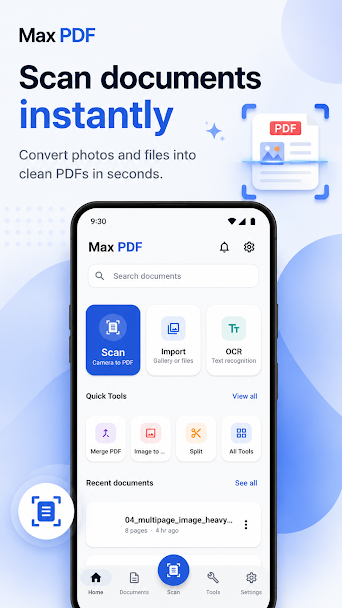
Max PDF: Scan, Merge & Edit
A mobile document scanner and PDF workspace for capturing, editing, organizing, signing, and sharing paperwork.
What it does
Built for the everyday version of this job.
Extract text with OCR. A focused part of the Max PDF workflow.
Merge, split, rotate, reorder, and compress pages. A focused part of the Max PDF workflow.
Annotate, draw, highlight, and sign documents. A focused part of the Max PDF workflow.
Protect files with passwords and watermarks. A focused part of the Max PDF workflow.
Privacy and support
Store listings and product privacy details can change. Review the current listing before relying on a product-specific claim.
View the current Google Play listingPrivacy detailsThe useful bit
Paper in, useful PDF out.
Turn receipts, forms, notes, and contracts into documents you can organize, annotate, sign, protect, and share from your phone.
- Scan documents and create multi-page PDFs
- Extract text with OCR
- Merge, split, rotate, reorder, and compress pages
- Annotate, draw, highlight, and sign documents
Keep exploring
More from tools.
AndroidTools

Max Messages - Smart SMS
A smarter SMS companion for sending, scheduling, organizing, and protecting everyday conversations.
AndroidTools

Max Screen Recorder
A watermark-free screen recorder for 4K video, audio, facecam, live annotations, screenshots, and quick edits.
AndroidTools
Max QR - Scanner and Generator
A fast, lightweight QR tool for scanning codes, creating new ones, and keeping useful results in one place.